Sit-Stand Desk Buying Guide: What to Look For Before You Buy
By beite Editorial
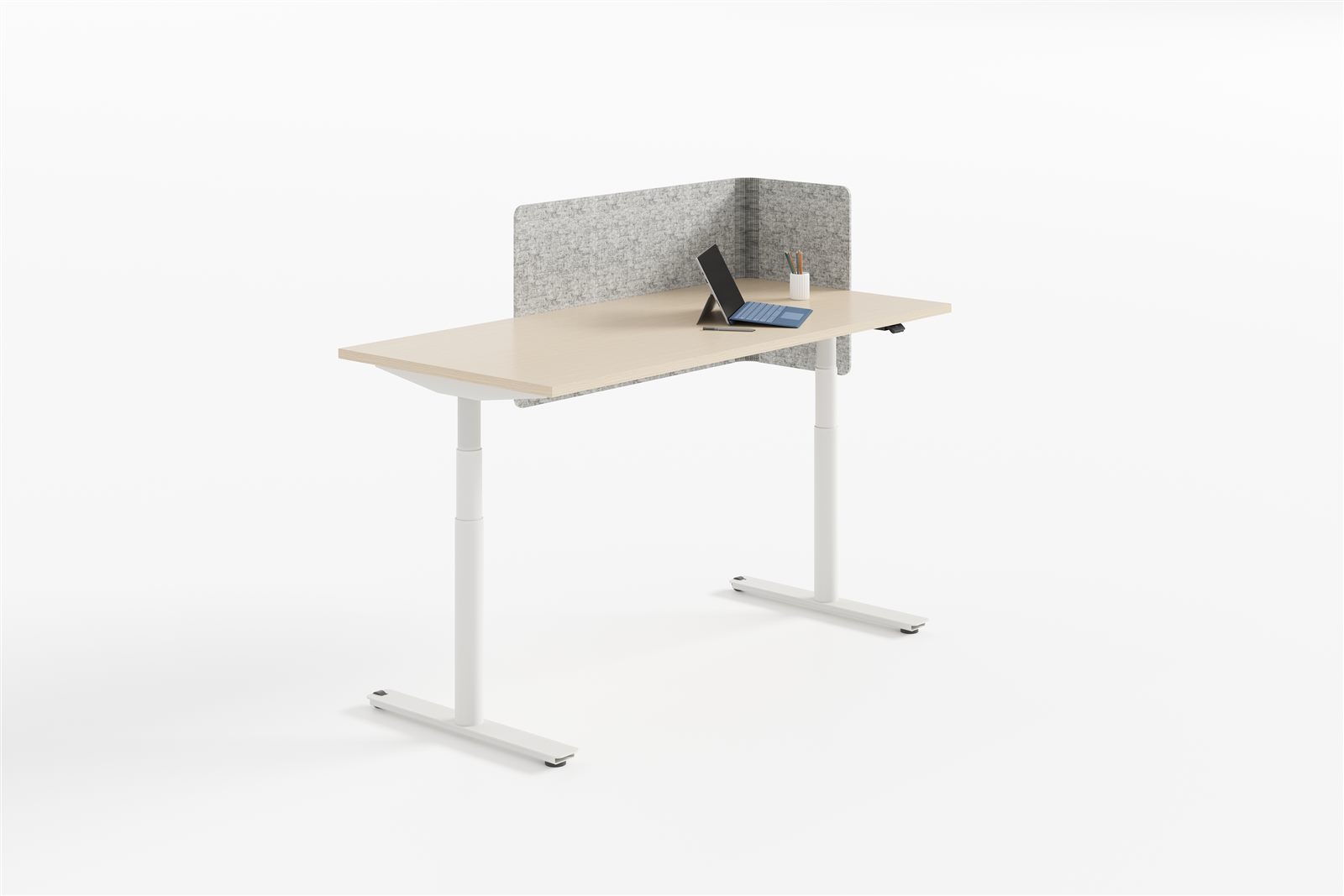
Why a Sit-Stand Desk, and Why It's Worth Buying Right
Most office furniture is bought once and forgotten. A sit-stand desk is different: it is the one piece you use for eight hours a day, and the one most likely to change how those hours feel. The research behind alternating between sitting and standing is no longer contested — prolonged sitting is linked to back strain, reduced circulation and lower afternoon energy, while regular position changes keep people more comfortable and more alert through the day.
But not every height adjustable desk earns its place. The difference between a desk that gets raised and lowered every day and one that stays glued at sitting height comes down to a handful of specifications most buyers never check. This guide walks through the exact things to evaluate before you buy, so the desk you choose actually gets used the way you imagined.
The Three Motor Configurations: Single, Dual and Four-Leg
The motor is the heart of the desk, and the first decision is how many you need.
- Single-motor desks use one drive to lift the frame through a connecting shaft. They cost the least and are fine for lighter, smaller tops — but they lift slower, carry less weight, and can be less stable at full height.
- Dual-motor desks drive two columns independently from one control box. They lift heavier loads faster, stay level under uneven weight, and are the sensible default for most working desks with monitors and equipment.
- Four-leg desks (also called conference or beam desks) put a column in each corner for the greatest stability and the largest top sizes — the pick for boardroom tables and wide bench setups.
beite's BALLOON range covers all three in one family: an economy single-motor option, a dual-motor performance model, and a four-leg conference variant. Because they share the same LINAK drive system and controller platform, you can mix them across an office and keep one maintenance and training path.
1. Lift Capacity: Match the Desk to What Sits on It
Lift capacity is the spec people underestimate, then curse when the desk labours under a monitor arm, a dual-monitor stand and a laptop dock. Always add up the real weight of the top, the equipment, and the arms and elbows that will lean on it — then leave headroom.
Look at thrust rather than marketing weight claims: BALLOON's LINAK columns are rated at 1200 N on the single-motor model and 1600 N on the dual-motor, which translates into comfortable lifting of a full workstation setup rather than just an empty top. A desk working at 90% of its rated load every day wears out its drive far faster than one running at half.
2. Height Range: Will It Fit the Shortest and Tallest Person?
A sit-stand desk only works if its range matches the people using it. Too low a minimum and shorter users type with raised shoulders; too low a maximum and taller users still slouch when standing. Check the numbers against your actual team, not the average.
BALLOON adjusts from 685 mm to 1245 mm, which covers roughly the 5'0" to 6'4" range when paired with the right chair and monitor height. If your office has a wide spread of statures, this is one of the few specs where a bigger range is genuinely worth paying for — a desk that can't reach a comfortable standing height for a taller employee will simply never be raised.
3. Speed and Noise: The Details People Actually Notice
Two specs decide whether a sit-stand desk gets used or ignored: how fast it moves, and how quietly. Nobody wants to wait ten seconds for a desk to crawl upward, and nobody wants a lift that sounds like a forklift in the middle of a quiet floor.
BALLOON's columns move at 60 mm/s (80 mm/s on the dual-motor model) and run at around 50 dB — quieter than normal conversation, which is roughly 60 dB. That matters more in an open plan than most people realise: a noisy lift is a social reason to stop using the desk, and the desk that doesn't get used is just an expensive fixed-height table.
4. Anti-Collision: The Safety Feature That Protects the Desk and the Kids
Every height adjustable desk should reverse when it hits resistance on the way down — otherwise a filing cabinet, a chair arm, or a leg underneath turns into a crushed object or a damaged frame. This is the single most important safety check.
BALLOON's PIEZO / DS1 anti-collision sensing detects the equivalent of 2 kg of force and immediately reverses direction by 30 mm. It has been cycle-tested across 50,000 collisions without failure. When you compare vendors, ask whether the anti-collision is gyro-based (senses tilt and resistance) or a simpler current-sensing system — the gyro-based approach responds before damage, not after.
5. Stability at Standing Height: The Wobble Test
The most common complaint about cheap sit-stand desks is wobble at full extension — a monitor that shudders while you type, a coffee cup that trembles. Stability comes from three things: the column construction, the frame's cross-bracing, and the weight distribution.
BALLOON uses 3-section steel lifting columns on a telescopic steel beam that spans from 1158 mm to 1758 mm, so the frame can be sized to the top rather than stretched beyond a stable point. A frame that telescopes to match the worksurface is more rigid than one sized for the largest top and used with the smallest — another reason the width range matters.
6. Controls: Memory Presets Make the Desk Actually Get Used
A desk with up/down buttons and no memory gets used once. A desk with one-touch memory gets used all day, because switching between a sitting and standing height becomes a single button press instead of a fiddly hold-and-adjust. Look for a handset with at least two programmable positions — sitting and standing — and ideally four for shared desks and multiple users.
BALLOON's memory handset stores four programmable positions, so a hot-desking floor can give each shift its own height, and a shared conference table can switch between seated and standing configurations without re-tuning every time.
7. The Worksurface: Size, Material and Cable Management
The frame is the engineering; the top is what you actually touch. Match the top to the work: 1200 mm wide is a compact single-monitor desk, 1400–1600 mm suits dual monitors and a notepad, and 1800 mm is a full command-centre. Depth matters too — 600 mm is standard, 700–800 mm gives more reach for large monitors.
Then plan the cables, because a sit-stand desk lifts every wire with it. Budget for a cable tray and a power spine that moves with the frame, otherwise the desk rises and drags a snarl of cables with it. BALLOON is designed to accept a full cable tray and beite's desk-mounted accessories, so the cable run is part of the desk rather than an afterthought.
8. Build Quality, Certification and Warranty
A sit-stand desk is a machine with moving parts, which means it is one of the few places in an office where build quality is directly observable — and directly consequential. The drive system is the expensive part, so it is where the honest and dishonest suppliers separate.
Check what drive system is inside. LINAK is the industry-standard lifting column used by the premium end of the market, and BALLOON is built on it — one reason the range has picked up a German Innovation Award, a Plus X Award and a Red Dot Award. A supplier who can't name their drive system, or hides it behind a house brand, is usually buying the cheapest column available. Ask for the certification and the warranty terms on the drive before you buy, not after the desk fails.
How Much Does a Height Adjustable Desk Cost?
Height adjustable desk cost is driven by a small number of factors, and understanding them stops you from overpaying for a logo or underpaying for a frame that will fail. The motor configuration is the biggest lever: single-motor desks sit at the entry end, dual-motor desks cost more but deliver the speed, load and stability most people actually need, and four-leg conference desks are a premium for boardrooms. From there, the drive system (a LINAK column costs more than a generic drive and lasts longer), the worksurface material, and the accessories — memory handset, cable tray, power modules — all add incrementally.
Think of it as total cost of ownership rather than a sticker price. A desk with a quality drive, anti-collision and a solid warranty spreads its cost over a decade of daily use; a cheaper desk that wobbles, labours and gets retired in two years costs more per year. For a fit-out of dozens or hundreds of desks, the per-unit gap between a good and a marginal sit-stand desk is usually recovered in avoided replacements and in a workforce that actually uses the standing feature.
One reliable way to lower that cost is to buy manufacturer-direct — the same manufacturing clusters produce most "premium" sit-stand desks regardless of the label, and skipping the importer and distributor markup removes the single largest line item on a large order. The trade-off is that you need a supplier with real quality controls and export experience, which is exactly what to look for: named drive systems, certification, and the ability to ship FOB with consolidated logistics.
Pair the Desk with the Chair It Deserves
A sit-stand desk only delivers its ergonomic promise if the chair works with it. When people stand, they push the chair back; when they sit, they need a chair that supports the posture the desk encourages. Pair a height adjustable desk with a properly adjustable ergonomic office chair — one with adjustable seat height, lumbar support and armrests — so the sitting half of the sit-stand cycle is as well-supported as the standing half. The desk changes position; the chair should change with it.
The Bottom Line
A sit-stand desk is only worth buying if the people using it actually stand up. That means choosing by the specs that determine daily use: a height range that fits your shortest and tallest staff, a lift capacity with real headroom, quiet and fast columns, gyro-based anti-collision, and memory presets that make switching effortless. Get those right and you have bought a healthier, more productive office. Get them wrong and you have bought an expensive fixed desk that everyone sits at.
Browse the full BALLOON height adjustable desk range — single-motor, dual-motor and four-leg conference models — to see the sizes, finishes and configurations available, or contact our team for a fit-out consultation on sit-stand working for your office.